
Menu

Haxasia

Great Machine Hardware

Month: August 2026

What Hardware Considerations Come With Epson ColorWorks C8000 Label Printing

The Epson ColorWorks C8000 is a four-inch color inkjet label printer designed for mid- to high-volume, on-demand production. It prints variable product, identification, warehouse, and logistics labels at speeds of up to 11.8 inches per second. The official Epson ColorWorks C8000 product specifications state that this speed is achieved while printing at 1200 by 600 dpi.

For production managers evaluating the hardware, print volume is only the starting point. The print engine, ink supply, supported materials, media path, physical footprint, and maintenance parts all influence how the machine fits into a labeling operation. Selecting suitable Epson C8000 labels also requires matching the face material and coating to the printer’s pigment ink and the conditions in which the finished label will be used.
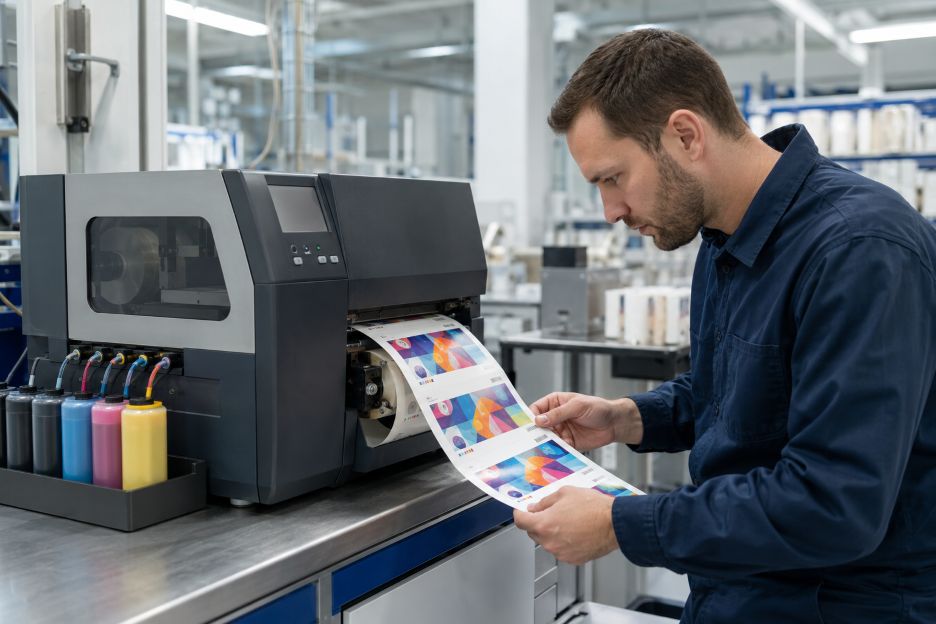
Technician checks vivid labels from inkjet printer

A Print Engine Built for Batch Production

The C8000 uses Epson’s PrecisionCore Heat-Free inkjet technology and a permanent printhead. Unlike thermal label printers, it does not rely on heat-sensitive media or a transfer ribbon to create an image. Microscopic ink droplets form the graphics, text, and barcodes directly on coated label stock. This allows a single device to print variable information and full-color artwork during the same pass.

Print speed deserves attention when comparing the machine with existing equipment. Epson positions the model for batch runs rather than occasional desktop output, but actual throughput will still depend on label dimensions, print settings, image coverage, cutting frequency, and data-processing time. The Epson America product announcement describes the printer as suitable for prime labels, boutique products, product identification, warehousing, and logistics. Those uses can place very different demands on resolution and production pace.

Automatic nozzle verification is another relevant feature of the print engine. The system monitors nozzle performance and can compensate for detected problems, helping maintain readable barcodes and consistent output. Even so, operators still need procedures for print checks, cleaning, and media testing. A permanent printhead reduces routine replacement requirements, but it also makes proper maintenance and compatible consumables important over the hardware’s working life.

The Ink Pack System

Although ink supply is sometimes described generally as a cartridge system, the C8000 uses four high-capacity ink packs. Cyan, magenta, yellow, and black packs provide a combined capacity of 1.9 liters. That capacity is intended to reduce interruptions during large runs, although page or label yield varies with artwork coverage, cleaning cycles, print frequency, media type, temperature, and humidity.

Businesses must choose between gloss-black and matte-black printer configurations. This is a hardware and supply decision rather than a setting that can be changed freely. The Epson CW-C8000 Series User’s Guide explains that the printer will not operate if a different black-ink type is installed. Buyers therefore need to consider their usual media finish before selecting a configuration.

The same guide notes that all four packs must be installed for printing. Ink from every color may also be consumed during head cleaning and other maintenance, including when output is primarily monochrome. Initial setup uses part of the supplied ink to charge the printhead, while a small amount remains when a pack reaches its replacement point. These details matter when estimating consumable use from purchase prices alone.

A replaceable maintenance box collects ink discharged during cleaning and related operations. It is a separate consumable, so procurement plans should account for it alongside ink and label rolls. The control panel displays approximate ink levels and available maintenance-box capacity, allowing replacements to be prepared before the printer stops.

Media Handling and Label Compatibility

Media handling affects both workflow and the range of jobs the printer can accept. The unit accommodates labels up to approximately four inches wide and provides a maximum printable width of 4.25 inches. It supports continuous stock, die-cut labels, black-mark media, and other compatible roll-fed formats. Exact width, thickness, gap, and sensing requirements should be checked against Epson’s media specifications before stock is ordered in volume.

The printer includes an automatic cutter, which is useful for separating batches or continuous material. Operations that need finished rolls may also require an external rewinder. This adds equipment, floor space, power, and setup considerations that may be easy to overlook when reviewing the printer by itself.

Ink-receptive coatings are essential because ordinary uncoated label materials may absorb pigment ink unevenly, dry slowly, or produce weak color and barcode edges. Epson’s user documentation specifically warns that slow-drying and water-repellent papers can cause staining. Testing the intended paper or synthetic material with the actual artwork remains more informative than judging compatibility from size alone.

Hardware Factors in Context

The C8000 combines a high-speed permanent printhead, large ink packs, integrated cutting, and industrial-style media handling in one device. Those features also bring practical dependencies, including model-specific black ink, coated media, maintenance boxes, sufficient installation space, and possible finishing equipment. These considerations reflect the wider importance of reliable hardware infrastructure in maintaining consistent business operations. Future evaluation will therefore depend on how closely the printer’s physical requirements match an organization’s label sizes, production patterns, durability needs, and existing workflow.

Read More

How AI Is Changing Resume Building on Everyday Computers

Minimalist Workspace Image

More than 90% of employers now use some form of automated system to filter or rank job applications, according to the World Economic Forum. That shift has pushed resume writing away from a simple word processing task and into something closer to a data problem, one that artificial intelligence is increasingly hired to solve. The tools people use to build and tailor resumes today look very different from the templates and spell checkers of a decade ago.

Most AI resume assistants now split their work between two locations: the device in front of you and a remote server. Some features, like grammar checking or basic formatting, can run directly on a laptop using lightweight local models. Others, especially the more demanding task of matching a resume against a specific job posting, are handled in the cloud, where far larger language models do the heavy lifting. Platforms built around this second approach, such as Reztune, send the analysis off to remote servers rather than asking a personal computer to run the model itself. That distinction matters more than most job seekers realize, because it changes what kind of computer you actually need to use these tools well.

Research from MindStudio notes that local AI means the model weights live on the user’s own hardware and all computation happens there, while cloud AI sends that work to remote infrastructure instead. The practical effect is a tradeoff. Local processing keeps data on the device and can work without an internet connection, but it demands real computing power. Cloud processing asks little of the machine itself but depends on a stable connection and a subscription or usage fee to the provider running the servers.

What Local AI Actually Requires

Running a language model directly on a personal computer is no longer impossible for an average user, but it is far from effortless. Guidance from Hardwarepedia describes how tools like Ollama and llama.cpp have matured to the point where getting started takes little more than a single terminal command, yet the quality of the experience still depends heavily on the hardware underneath. A detailed hardware breakdown from the developer community site DEV Community points to graphics cards with at least 16 to 24 gigabytes of video memory, alongside 64 gigabytes of system memory, as a realistic baseline for running mid-sized open models smoothly. Machines without that kind of graphics processing power can still run smaller models, but users often notice slower response times and reduced accuracy compared to cloud-based alternatives.

Entry-Level Versus High-Performance Machines

The gap between budget and premium computers becomes obvious the moment local AI enters the picture. Findings from Sesame Disk indicate that entry-level machines can struggle badly with anything beyond the smallest models, particularly when a task involves a long document or a large context window, and that generating even basic output can take ten to thirty seconds on modest hardware. A high-performance workstation with a dedicated graphics card handles the same workload with noticeably less delay. For office tasks that lean on cloud infrastructure instead, this gap mostly disappears. Analysis from the workstation builder Velocity Micro explains that because processing happens remotely, a modern multi-core processor paired with 32 gigabytes of memory and a dependable internet connection is typically enough for most users, with graphics performance playing only a minor role unless the machine also handles video editing or design work.

Where Cloud-Based Resume Tools Fit In

This is precisely the gap that cloud-based resume platforms are built to close. Because the resume-matching computation happens on remote servers rather than on the user’s own machine, someone working from a budget laptop can get essentially the same output as someone on a high-end desktop. Reports from the recruiting analytics firm Jobscan show that customizing a resume to match a job posting, including reflecting the exact job title, can meaningfully raise the odds of landing an interview. Cloud-based tailoring tools automate much of that matching process, comparing a resume against a job description and suggesting adjustments to phrasing, skills, and structure. Since the analysis is not constrained by local hardware, these platforms can apply larger, more capable language models than most personal computers could run on their own, which tends to produce more nuanced suggestions than a lightweight offline tool would manage.

Choosing a Computer for AI-Enhanced Office Work

For anyone shopping for a new computer with AI-assisted productivity in mind, the right choice depends on how that AI work will actually be done. Someone who plans to run models entirely offline should budget for a machine with a strong graphics card and generous memory, since that hardware directly determines speed and usability. Someone who expects to rely mainly on cloud-based tools, including resume platforms, career assistants, or writing aids, can generally get by with a far more modest setup, since the internet connection and the remote server do most of the demanding work. A dependable connection, a reasonably current processor, and enough memory to run a browser and a few applications at once will cover most everyday needs.

These choices extend beyond resume writing alone. The same device someone uses to tailor a resume is often the one they use to manage interview scheduling, professional profiles, and public-facing career materials, which is why the connection between hardware and online reputation management is worth understanding alongside AI resume tools. As AI features become a standard part of office software rather than a novelty, understanding this distinction may end up mattering more to buyers than raw processing specifications ever did.

Read More
𐌢