
Choosing the Right Hardware Setup to Manage Your Proof of Accommodation for Visa Workflow
In 2024, consulates in EU and Schengen countries processed over 11.7 million short-stay visa applications, each demanding clear proof of travel plans like hotel bookings.
Handling these documents can feel overwhelming, but the right hardware makes it smoother. Optimize your workstation to handle multiple travel documents with ease. Whether you’re a frequent traveler or a professional aiding clients, tools like high-resolution screens help spot details in PDFs. Services such as Oroba travel services provide quick hotel confirmations, and pairing them with solid tech keeps everything organized.
Essential Displays for Clear Document Review
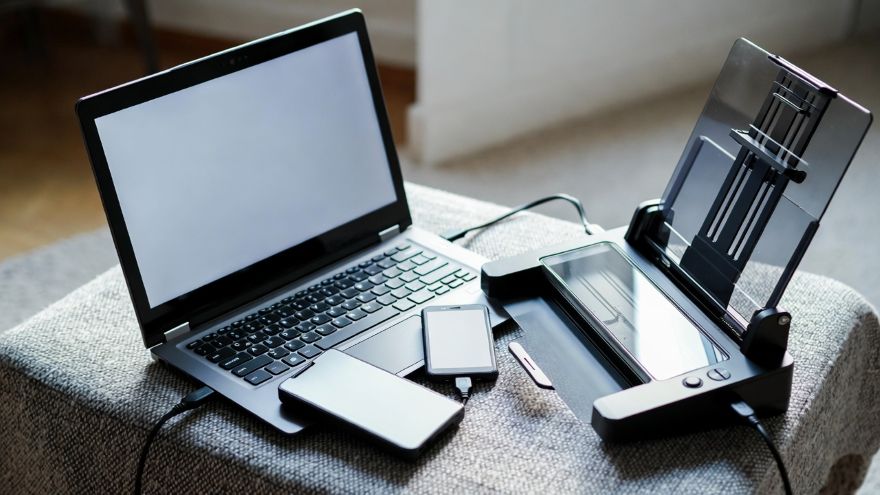
A sharp monitor is key when checking visa paperwork. High-resolution options let you zoom in on fine print without strain. For example, the Dell UltraSharp series offers 4K clarity, perfect for side-by-side comparisons of reservation emails and application forms. This reduces errors that could delay approvals.
Consider size too. A 27-inch screen gives ample space to open multiple windows. Brands like LG and Samsung provide models with eye-comfort features, such as blue light filters. These help during long sessions reviewing itineraries. Pair it with a dual-monitor setup for even better flow. One screen for forms, another for reference guides. This simple change boosts efficiency.
Don’t overlook portability. If you travel often, a lightweight monitor like the ASUS ZenScreen connects via USB. It turns your laptop into a mobile office for last-minute checks at airports.
Storage Solutions for Secure Backups
Visa files pile up fast, from scanned passports to hotel vouchers. Reliable storage prevents loss. External hard drives offer quick access and redundancy. Western Digital’s My Passport line provides up to 5TB, enough for years of documents. Encrypt them for security, especially with sensitive info.
Solid-state drives (SSDs) speed things up. Samsung’s T7 Portable SSD transfers files in seconds, ideal for backing up before submissions. Cloud options complement hardware. Use Google Drive or Dropbox alongside physical drives for off-site safety. This hybrid approach guards against hardware failure.
For professionals managing client files, network-attached storage (NAS) shines. Synology’s devices allow team access while keeping data secure. Set up automatic backups to avoid manual errors. Remember, redundancy means multiple copies in different places. A fire or theft shouldn’t wipe out your workflow.
Tools for Mobility and Productivity
Travel doesn’t stop the need for organization. Laptops with strong batteries keep you going. The Apple MacBook Air handles PDFs effortlessly with its Retina display. For Windows users, Microsoft’s Surface Pro offers tablet versatility. Detach the keyboard for quick reviews on flights.
Scanners streamline input. Fujitsu’s ScanSnap series digitizes receipts and confirmations fast. It creates searchable PDFs, saving time when searching for specific bookings. Pair it with software like Adobe Acrobat for editing.
Ergonomics matter for sustained productivity. Adjustable stands for monitors reduce neck strain. Wireless keyboards and mice from Logitech free up desk space. These small additions make long hours manageable.
Incorporate multi-port hubs too. Anker’s USB-C hubs expand connections for drives and displays. This keeps your setup flexible, whether at home or in a hotel room.
Tips for mobility include lightweight gear. Choose batteries that last 10 hours or more. Use travel cases for protection. Sync devices via apps like OneDrive for seamless access across phone, tablet, and computer.
Putting It All Together
Building this setup starts with assessing your needs. Frequent travelers might prioritize portability, while office-based pros focus on power. Budget wisely; start with a good monitor and storage, then add as needed.
Maintenance keeps things running. Update software regularly and follow best practices for regular hardware maintenance to avoid dust buildup and component wear. Test backups monthly to ensure they’re working.
In the end, the right hardware turns visa document management from a chore into a breeze. With reliable tools, you handle proofs of accommodation with confidence. Services like those from Oroba enhance this by providing verifiable reservations, letting tech do the heavy lifting.